Published: November 14, 2025 • 5 min read • By UPLYNK
Canvas vs. Model-Driven Apps
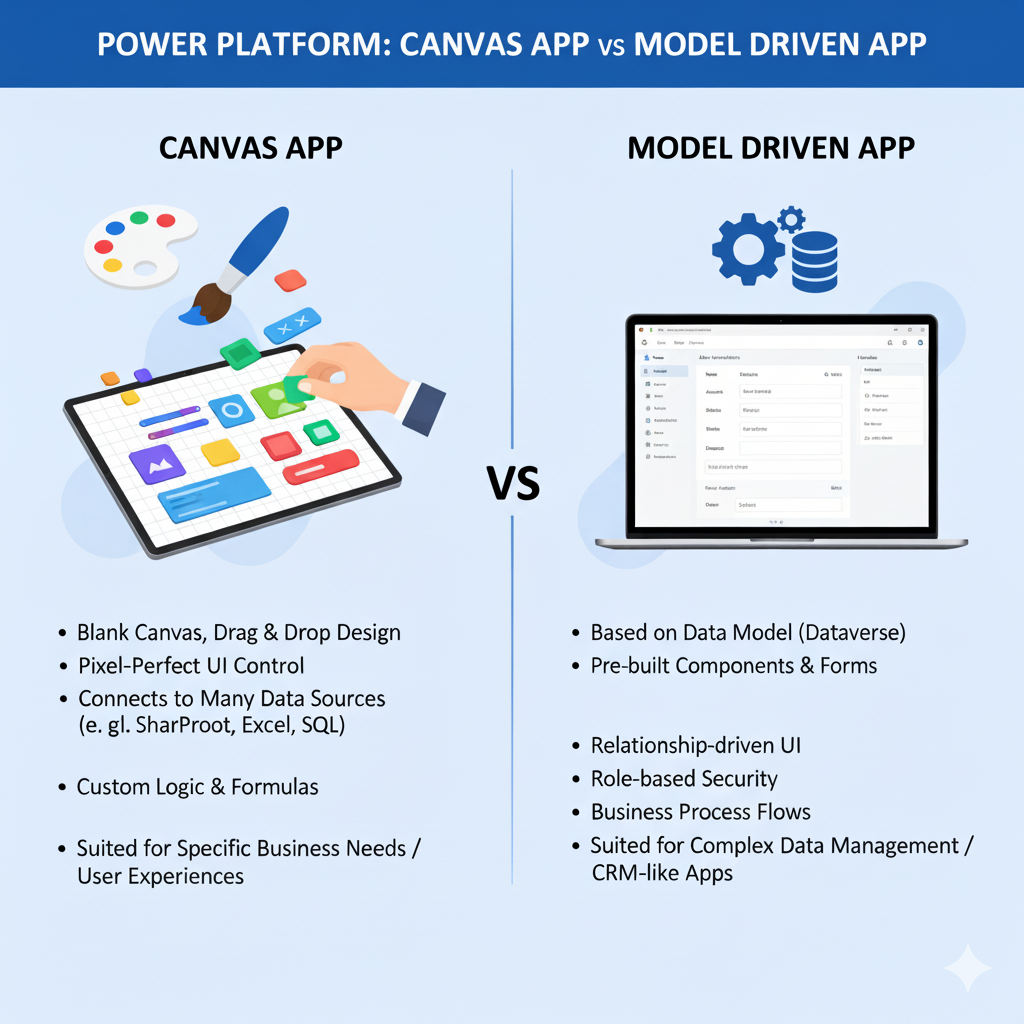
In the world of Microsoft Power Apps, two powerful approaches empower organizations to build tailored business solutions, one is Canvas Apps and the other is Model-Driven Apps. Both are part of the Power Platform ecosystem, yet they serve different purposes depending on the user’s needs, level of control and business requirements.
Understanding the Two App Types
Both Canvas and Model-Driven Apps help businesses digitize processes, automate workflows and create user-friendly interfaces without heavy coding. However, they differ fundamentally in how they are built and who they are best suited for.
Canvas Apps — Design with Freedom
Canvas Apps are all about creativity and control. They give makers the flexibility to design the user interface exactly the way they envision it just by dragging and dropping elements on a blank canvas. It’s ideal for scenarios where the look, layout and user experience are top priorities.
- Data Sources: Connects to 200+ data sources, including Dataverse, SharePoint, Excel and more.
- Customization: Fully customizable design and behavior.
- Best For: Task-based or role-specific apps like field inspections, leave requests or expense submissions.
- Example: A mobile app for sales representatives to capture client data on the go.
Model-Driven Apps — Structure with Power
Model-Driven Apps are data-first. The app’s design, layout and user experience are automatically generated from the underlying Dataverse data model. They are ideal for complex business scenarios that require deep data relationships, process automation and enterprise-level governance.
- Data Model: Built on Microsoft Dataverse with pre-defined tables, relationships and business logic.
- Customization: Limited visual control but highly structured and consistent UI.
- Best For: End-to-end business applications like Customer Service, Project Operations or Sales.
- Example: A centralized customer engagement system managing leads, accounts and opportunities.
Key Differences at a Glance
| Feature | Canvas App | Model-Driven App |
|---|---|---|
| App Design | Freeform drag-and-drop design | Auto-generated from data model |
| Data Focus | Can connect to multiple data sources | Primarily built on Dataverse |
| Complexity | Great for simple to moderate apps | Best for complex, enterprise-grade apps |
| Customization | High flexibility in layout & logic | Limited UI flexibility, consistent design |
When to Choose Canvas or Model-Driven Apps
Choosing the right type of app depends on your business goals and technical requirements:
- Choose Canvas App when user experience, layout and mobile usability are your top priorities.
- Choose Model-Driven App when you need structured data management, automation and standardized business processes.
- Combine Both!😉 Many organizations use a hybrid approach by leveraging Canvas Apps for front-end interfaces and Model-Driven Apps for backend data and logic.
Conclusion
Both Canvas and Model-Driven Apps are powerful tools within Microsoft’s Power Platform, designed to serve different audiences and use cases. Whether you value design freedom or structured consistency, each approach can accelerate digital transformation and empower your workforce to build smarter, faster and better.
At UPLYNK, we believe every app tells a story and whether you build it with Canvas or Model-Driven tools, innovation begins with you.😊
“At UPLYNK, we’re committed to empowering the Microsoft Dynamics 365 community through insightful blogs, practical tutorials and real-world implementation guidance — helping professionals learn, grow and stay ahead in the ever-evolving D365 ecosystem.”